
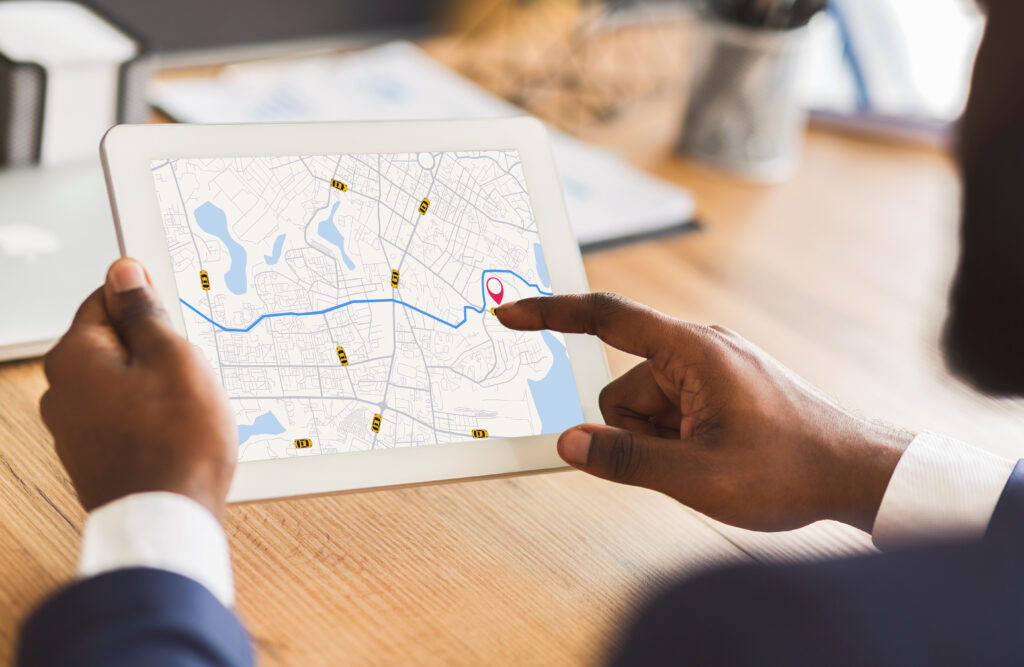
A few years ago, a local plumbing business in Kentucky found itself in a frustrating situation. Despite offering exceptional service, having great reviews, and serving multiple cities, their phone barely rang. The issue wasn’t with their work—it was their website. A closer look revealed a single generic “Service Areas” page with a list of cities but no dedicated content for any of them. No city-specific pages. No detailed information. Just a bullet list. Once fully optimized, individual location pages were added with localized content, photos, reviews, and custom calls to action. Within 60 days, their call volume more than tripled—and most of those leads came through local search.
This is not an isolated story. According to Google, 76% of people who search for a local service on their phone visit a business within 24 hours, and 28% of those searches result in a purchase. But here’s where it gets tough—the top 3 results on Google get nearly 70% of all clicks. In local search, there is very little room for error. Businesses that rank higher win the leads. Those that don’t—get left behind.
Many home service business owners find themselves stuck in a similar spot. They may have a decent website, a few social media accounts, maybe even a blog—but they’re invisible online where it counts. Ranking locally isn’t just about having a site or running ads—it’s about showing up exactly where and when people are looking for help. That’s where location pages become a game changer.
What Is a Location Page (and Why Should You Care)?
A location page is a web page created specifically to target a city, town, neighborhood, or service area where a business operates. It’s designed to tell both users and search engines, “This business serves customers here.” But it’s not just a technical SEO move—it’s a practical one. Think of location pages as digital storefronts for every area a business covers.
Each page acts as a hyper-local landing page that helps potential customers in that area find and trust the business. These pages include localized keywords, specific service details, testimonials from customers in that region, and other elements that signal local authority.
Unlike a one-size-fits-all homepage or a generic service area list, location pages are tailored. They speak directly to customers in specific areas, making the business feel like a local expert—even if the office is miles away.
Search engines favor this kind of targeted, relevant content. When someone types in “furnace repair in Springfield,” they want to see businesses that explicitly mention Springfield and provide services there. Location pages bridge that gap, allowing service providers to compete in every city they serve—not just the one where they’re headquartered.
Why Local Pages Matter for Home Service Businesses
For businesses in the home service industry—plumbers, electricians, roofers, HVAC techs, cleaners, and landscapers—visibility is everything. Most customers aren’t shopping around for weeks. They have a need, they search online, and they contact the first credible, available option.
That’s where local SEO and well-crafted location pages become critical.
Here’s why location pages matter:
- They help dominate local search results. Google prioritizes results that are relevant and geographically specific. A well-optimized location page dramatically increases the chances of showing up in local searches.
- They create trust and familiarity. When potential customers see references to their own city, landmarks, or neighborhoods, they’re more likely to believe the business understands their needs.
- They boost conversion rates. Location pages don’t just attract visitors—they turn them into leads. They speak the customer’s language and make it easy to take the next step.
Location pages also allow businesses to bypass larger, national competitors by getting laser-focused on small markets. While a national chain might dominate broad keywords like “plumbing services,” a local provider can win searches like “emergency plumber in Maplewood” with ease—if the content is structured right.
Common Mistakes That Kill Local SEO

Despite the clear advantages of location pages, many businesses fall into traps that can sabotage their local SEO efforts. Avoiding these common pitfalls can make a massive difference:
Only One Generic Service Area Page
Many websites simply list the cities or counties they serve on one page with no additional content. This approach doesn’t give search engines enough context to associate the business with any particular area. As a result, none of the cities rank well in local search.
Duplicate Content Across Cities
A major mistake is duplicating the same content and just swapping out the city name. For example, copying a page and replacing “Cleveland” with “Columbus” might seem efficient, but search engines recognize this as low-value content. This can lead to poor rankings—or worse, penalties.
Lack of Local Signals
Location pages that don’t include elements like local reviews, neighborhood references, or region-specific services appear generic. They fail to convince both users and search engines that the business is truly active in that area.
Poor Mobile Experience
Over half of local searches happen on mobile devices. If the page isn’t responsive, loads slowly, or looks broken on mobile, users bounce—and Google notices.
No Clear CTA
Many location pages fail to convert because they lack a strong, localized call to action. Without a compelling reason to call, schedule, or request a quote, even the best traffic won’t generate leads.
How to Build Location Pages That Actually Work
Creating effective location pages isn’t just about SEO—it’s about building trust and relevance in every area served. Here’s how to do it right:
1. Create a Unique Page for Each City
Each city, town, or neighborhood deserves its own page. This allows the content to be specific, targeted, and optimized for local search intent. Prioritize high-population areas and suburbs with weaker competition first, then expand.
2. Write Original, City-Specific Content
Every page should include unique text. Describe:
- Local problems customers might face (e.g., hard water in Phoenix)
- Streets, neighborhoods, or landmarks
- Events or seasonal issues (like frozen pipes in winter towns)
This creates relevance and shows real involvement in the community.
3. Include Local Testimonials and Reviews
Social proof is incredibly powerful, especially when it comes from nearby residents. Embedding reviews from customers in the target area helps boost trust and shows that real work is being done locally.
4. Use Photos Taken in That Area
Stock photos don’t build credibility. Real images of work performed in the area, with recognizable backgrounds or landmarks, show authenticity and local presence.
5. Add Local Schema Markup
Structured data like LocalBusiness schema tells search engines exactly where the business operates. Include the business name, address, phone number, and area served using proper schema tags.
6. Strong Localized CTA
Every location page should end with a clear call to action customized to the area. For example: “Need a roofing inspection in Glenview? Call now for same-day service.”
SEO Essentials to Include on Every Location Page
A great location page doesn’t just sound local—it’s built for search engine visibility. Here’s what to include:
- SEO Title Tag: Use main service + city name. Example: “Affordable Tree Removal in Round Rock, TX”
- Meta Description: Short, persuasive summary that includes service + location
- H1 Heading: Reflect the keyword and location (e.g., “Professional Carpet Cleaning in Glendale”)
- Internal Links: Link to main service pages and other nearby city pages
- Alt Text for Images: Describe local images with keywords (e.g., “Gutter cleaning service in Arlington Heights”)
- NAP Consistency: Make sure name, address, and phone number match across the site and directory listings
Don’t Let Social Media Go to Waste
While the website does heavy lifting for local SEO, social media can drive even more traffic to those location pages. Each platform has its own strengths:
- Facebook: Announce service coverage in new cities and link to the local page. Use customer photos and tag locations.
- Instagram: Share behind-the-scenes photos or before/after shots with local tags and geo-tags.
- Google Business Profile: Link the local pages to individual service areas or sub-profiles when possible.
- YouTube or TikTok: Short, engaging videos shot in specific neighborhoods can be repurposed on local pages.
When used together, location pages and social media build a full-circle online presence that’s hard to beat.
Reviews Are the Rocket Fuel for Location Pages
Reviews don’t just influence customers—they influence rankings. Search engines use reviews as signals of trust and relevance. When reviews mention specific cities or neighborhoods, they reinforce the connection between the business and the location page.
Encourage customers to include their city or area in reviews:
- “Fantastic HVAC service here in Naperville!”
- “Our new roof in Brookfield looks amazing!”
Then, strategically embed those reviews on the matching location page using widgets or manual quotes.
How Can Home Service Rankers Help You?
For home service business owners who feel overwhelmed, frustrated, or simply too busy to build dozens of pages by hand, Home Service Rankers is the partner that gets results. The reality is—just having a website is no longer enough. To crush local competition, the entire site needs to be built with local search in mind.
Here’s what Home Service Rankers brings to the table:
- Custom location pages written by professionals, optimized for real cities—not templates or lazy swaps.
- Local SEO strategies built for growth, from keyword research to schema markup and internal linking.
- Content that converts, written with your target customer in mind and focused on generating actual leads.
- Clear reporting, so it’s obvious what’s working and where your leads are coming from.
Whether starting from scratch or rebuilding after poor results, Home Service Rankers helps businesses stand out, rank higher, and grow faster in any city they want to target.
Frequently Asked Questions
Do location pages help even if there’s no physical office in every city?
Yes — location pages (or “geo pages”) work for service-area businesses without storefronts by showcasing service availability in targeted areas—when crafted with unique, relevant content.
How many unique words should each location page have to avoid being considered duplicate content?
Ideally, more than half of the content should be unique to each location, with at least 40–60% originality on every page.
Should each location page have an embedded Google Map?
Embedding a Google Map enhances both user experience and local SEO by clearly showing your service area or location.
Can customer reviews with location mentions improve page rankings?
Definitely — reviews that mention the specific target city (e.g., “roof repair in Tempe”) reinforce local relevance and boost SEO on the associated location page.